

Adhesive Privacy Filter (Monitor Screen Overlay)
 5
5

Adhesive Privacy Filter for Monitors
Adhesive privacy filter is a self-adhesive screen privacy film designed to limit the viewing angle of a display. Once installed, the image remains readable for the person sitting directly in front of the screen, while for people looking from the side it becomes clearly darkened or completely unreadable.
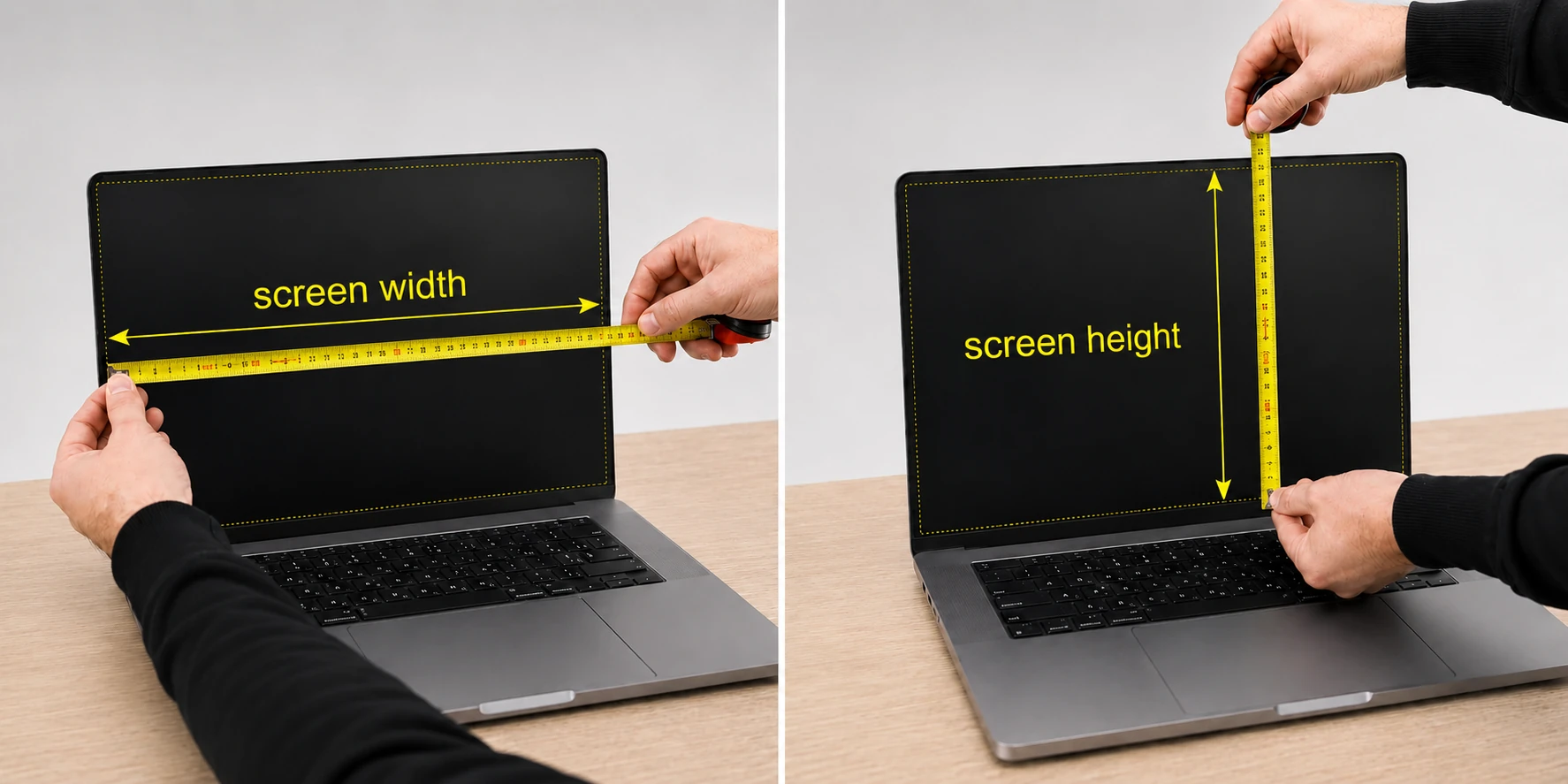
The product is intended for computer monitors, laptops, tablets, smartphones and industrial panels. The filter is made to size according to the real width and height of the display area only, without the surrounding frame.
How does the privacy filter work?
The film uses micro-louvre technology built into the optical layer. Each micro-louvre blocks light emitted at side angles and allows it to pass mainly straight ahead, perpendicular to the screen.
In practice, this means:
- clear screen readability when looking straight at the display,
- gradual darkening of the image when the viewing angle changes,
- significantly reduced visibility of screen content from the side.
The filter also helps reduce light reflections. Its surface limits glare and reflections, which can improve comfort when working in bright rooms.
Included free to make installation easier:
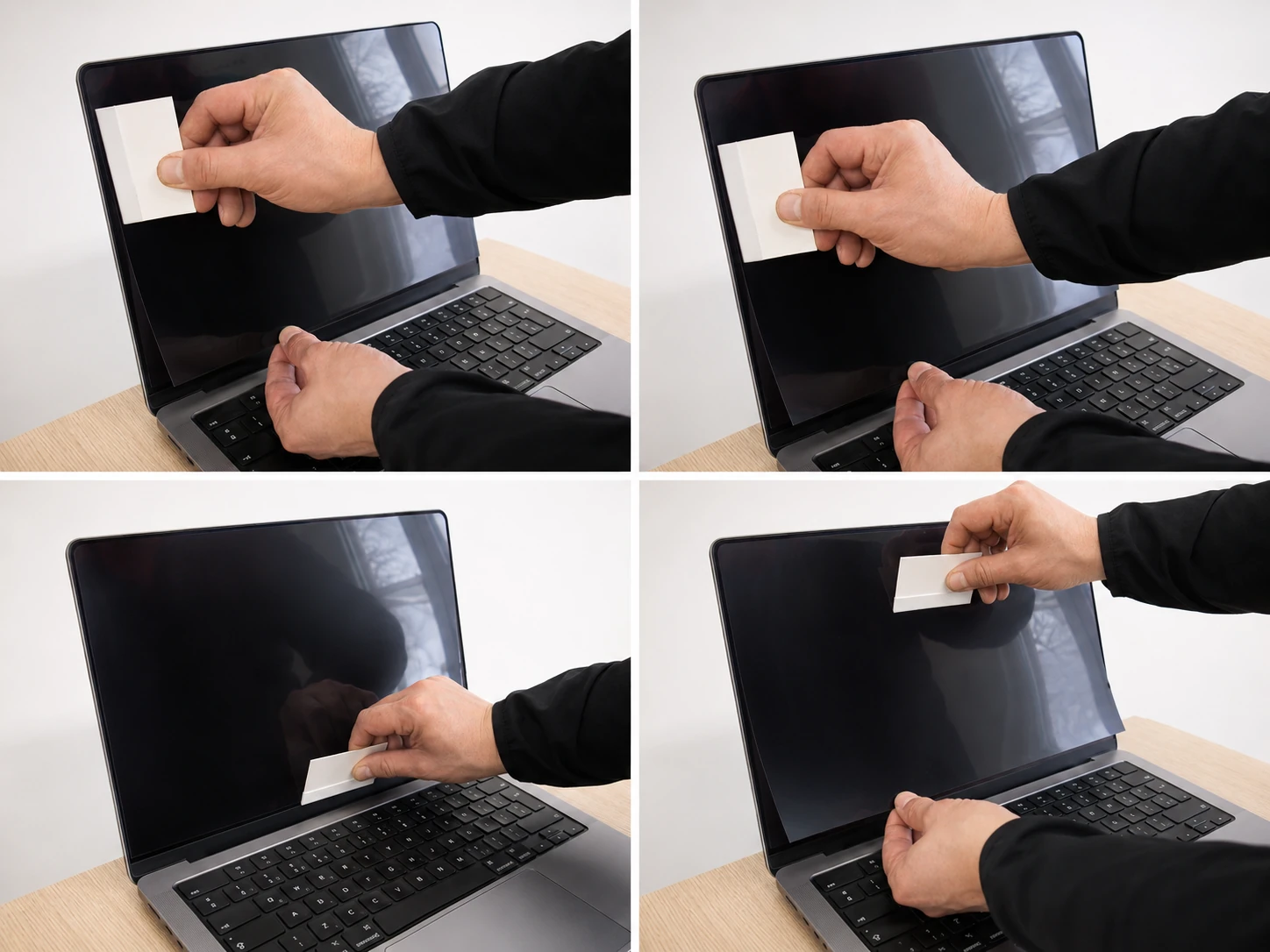
- Felt card for pressing the filter onto the screen, shown in step 6 of the installation guide below
- Reusable dry cleaning cloth
- Dust-removal sticker set for cleaning the surface just before application
- Special adhesive paper
Film structure
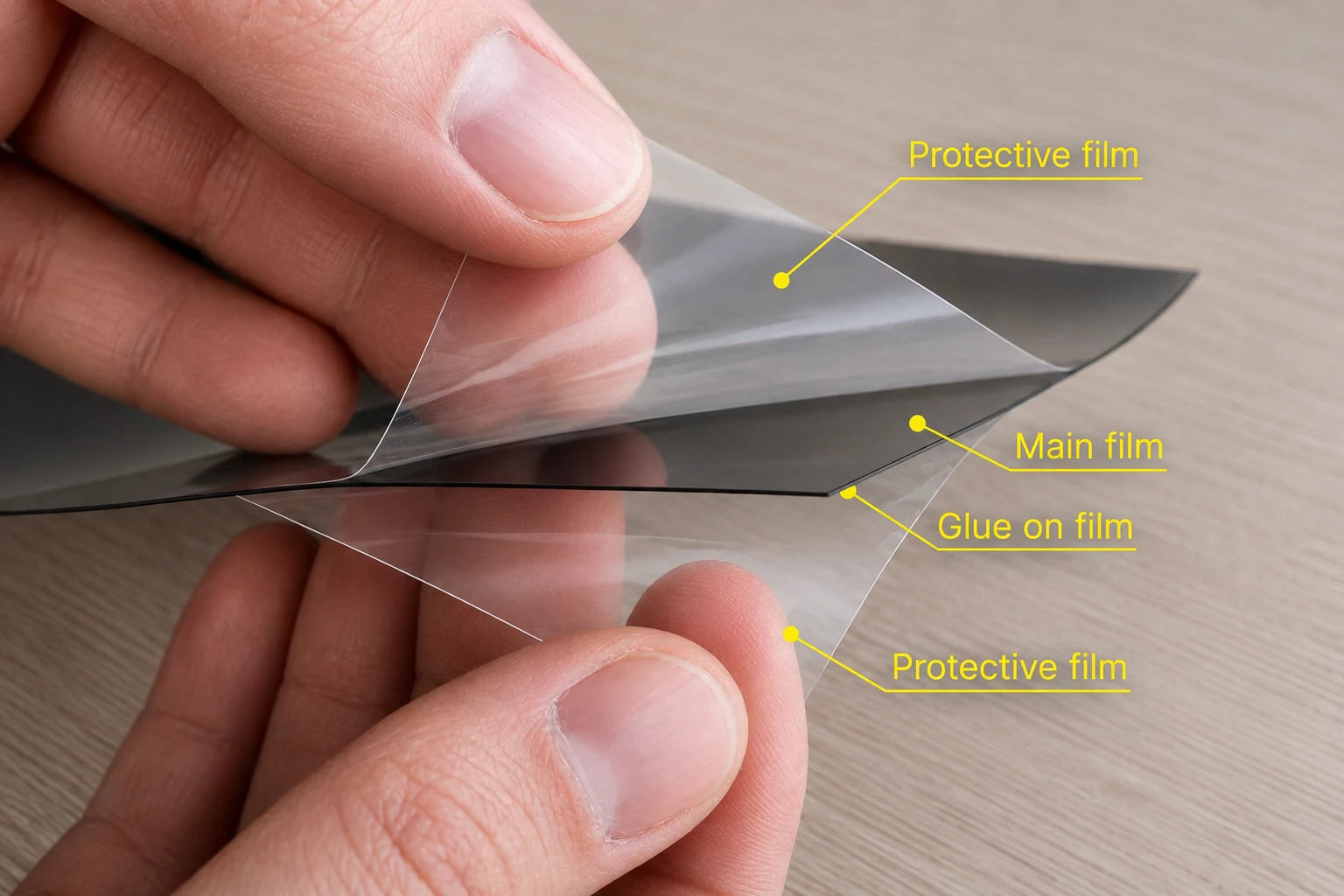
The adhesive privacy filter consists of several layers:
- The main film responsible for the privacy effect.
- A self-adhesive layer that allows permanent installation without additional holders.
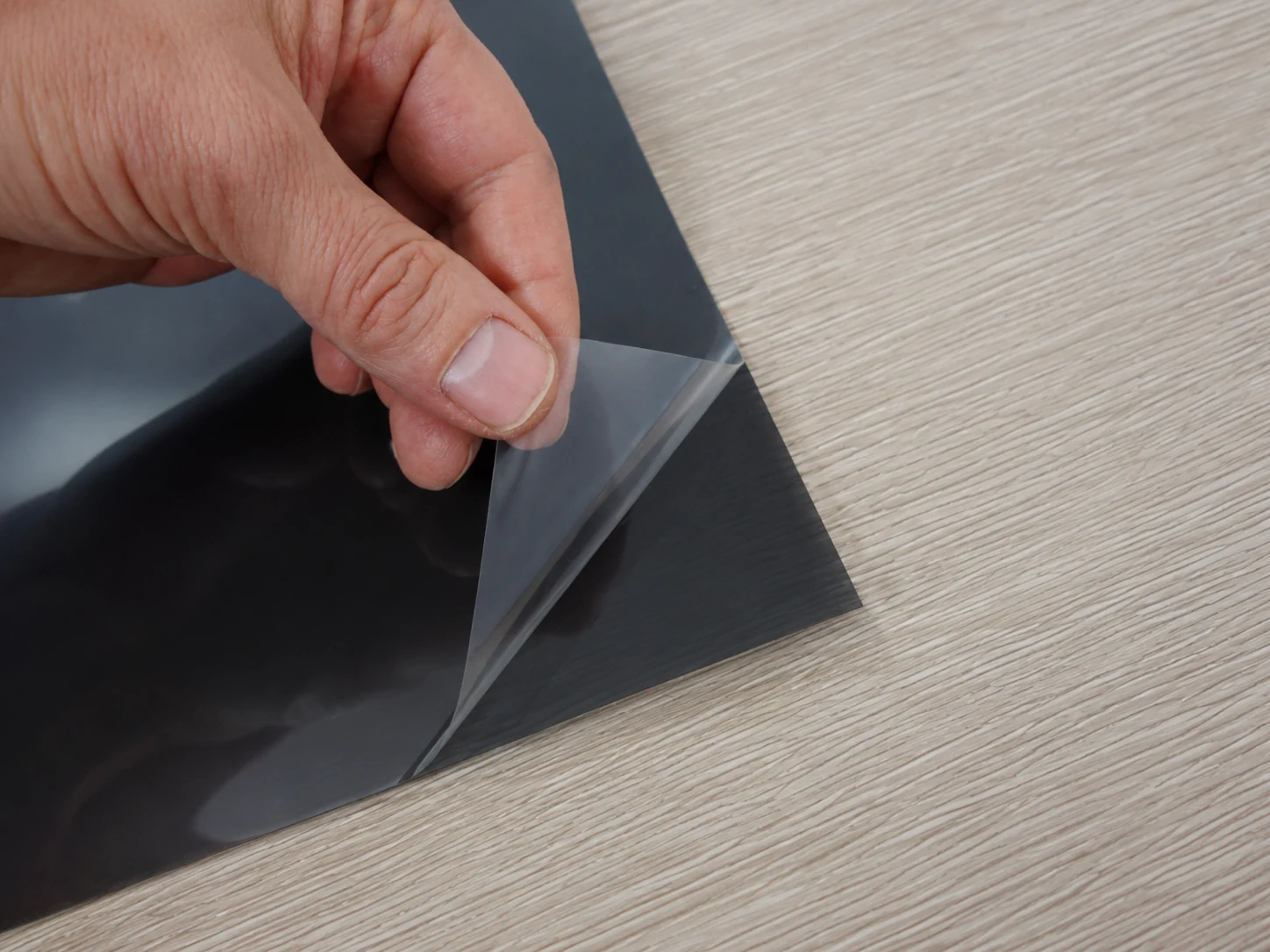
- Protective layers that protect the surface during transport and installation. These layers are removed before and after application.
Total thickness: approx. 0.55 mm.
Installation type: self-adhesive, permanent.
Applications
The film is suitable wherever data displayed on a screen should be protected from accidental viewing by other people. It is a practical solution for screen privacy protection in office, service and mobile work environments.
- working with financial and accounting documentation,
- using CRM systems and personal data,
- working in open-plan office spaces,
- using a laptop while travelling, including on trains, planes and at airports,
- reception desks and customer service points,
- industrial devices displaying sensitive process data.
The product is suitable for both office and mobile use.
Measure only the active display area, without the surrounding frame. This helps prepare the custom-size privacy filter in the correct size.
Variants and custom-size preparation
The filter can be prepared for a specific device model, according to individually provided display dimensions, or as cut sections from a roll.
For non-standard devices, industrial panels, touchscreens and monitors with unusual proportions, the material can be cut precisely to the supplied size.
Differences between variants concern only the format and method of preparation. The optical properties remain the same.
Easy installation of the adhesive privacy filter
Installing the adhesive privacy filter is straightforward. Before application, clean the monitor, prepare the filter, remove the layer protecting the adhesive and carefully attach the filter to the screen.
Below is a clear step-by-step guide. Each instruction is placed directly above the matching image.
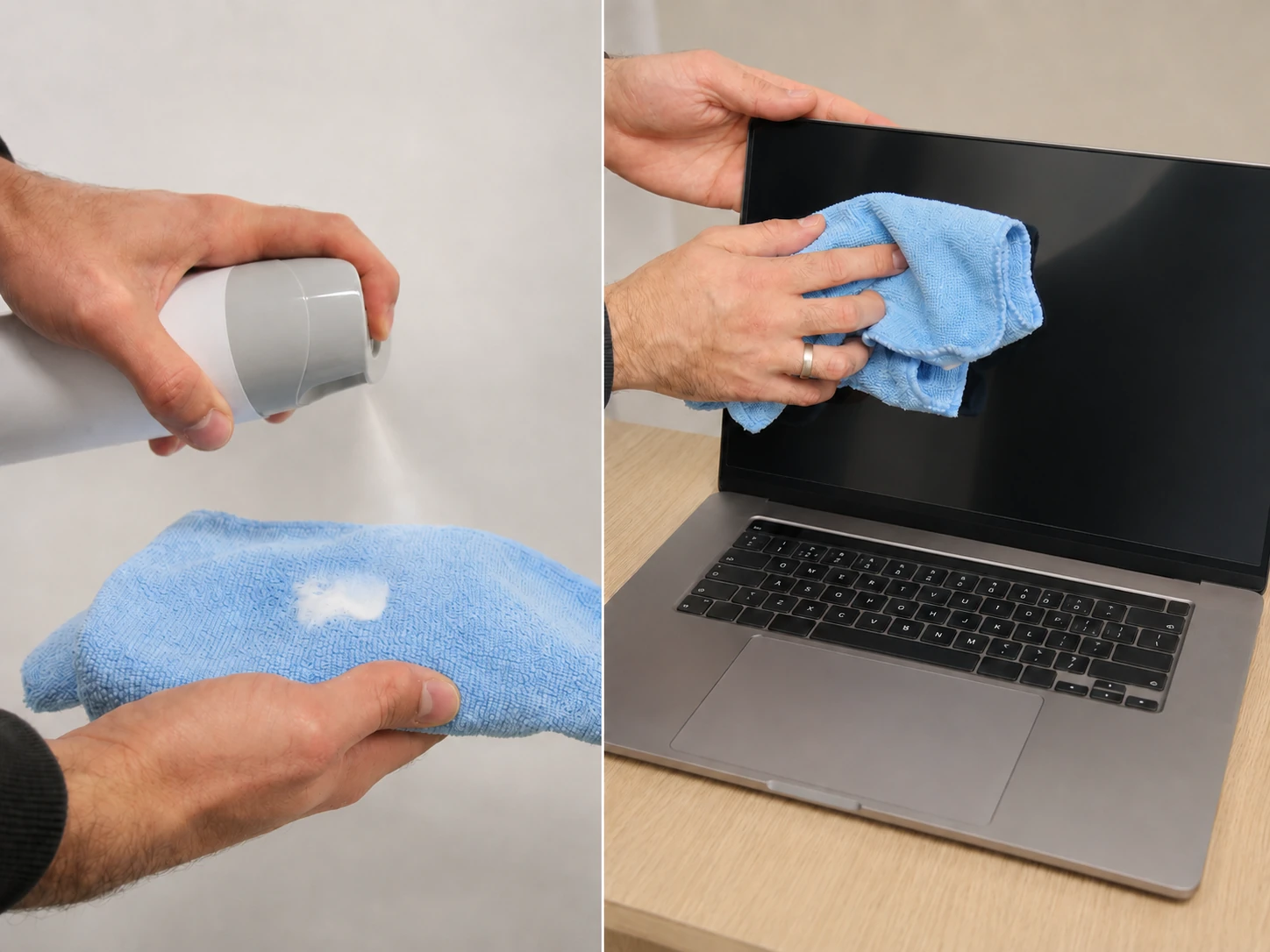
Step 1: Clean the monitor
Before installation, clean the monitor carefully. A screen-cleaning product and a soft microfibre cloth are recommended.
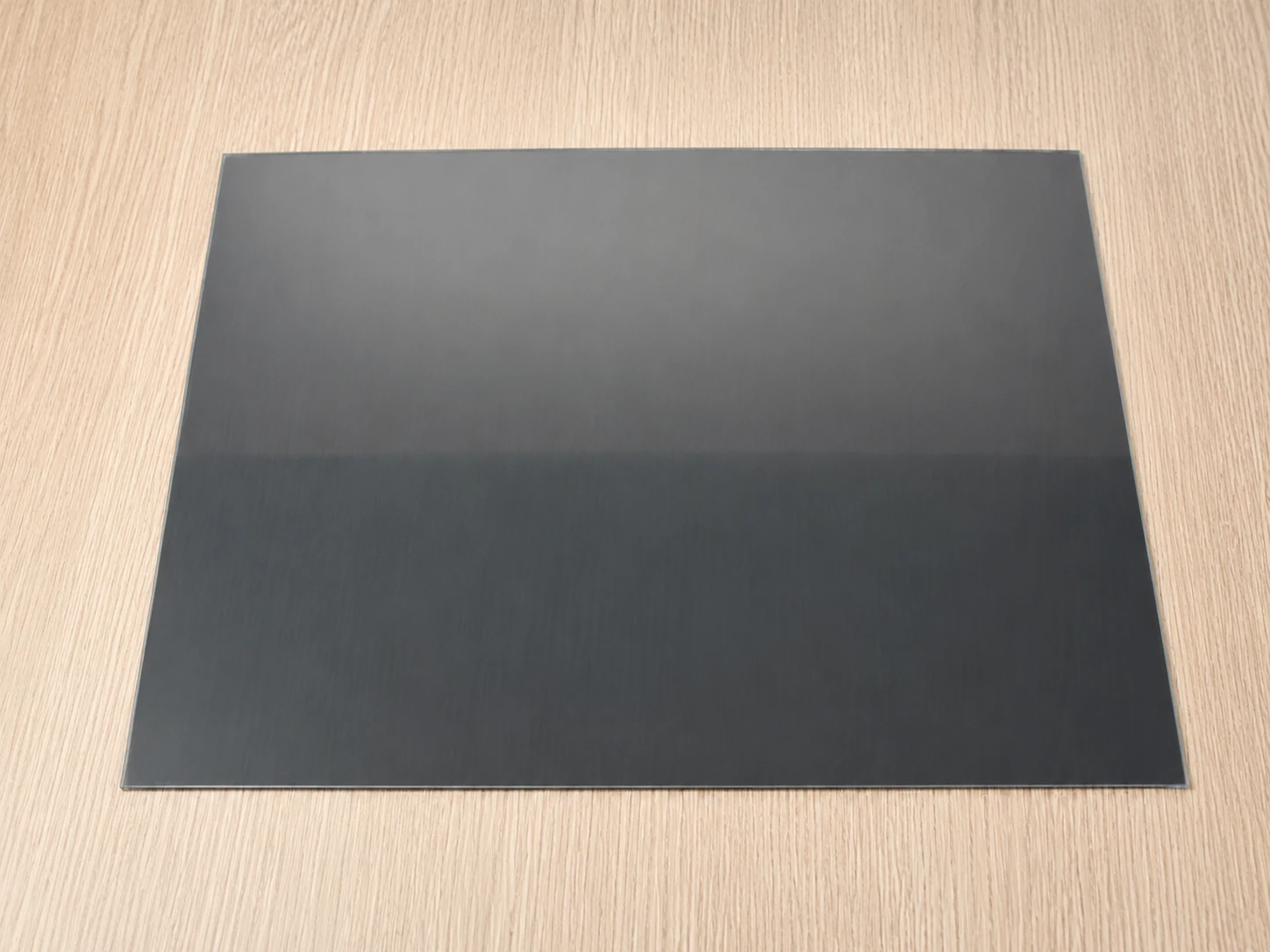
Step 2: Prepare the privacy filter
Wipe and prepare the purchased privacy filter before installation, so it is ready to be applied to the monitor.
Step 3: Check the fit on the screen
Place the filter against the monitor and check whether it fits the display area correctly.
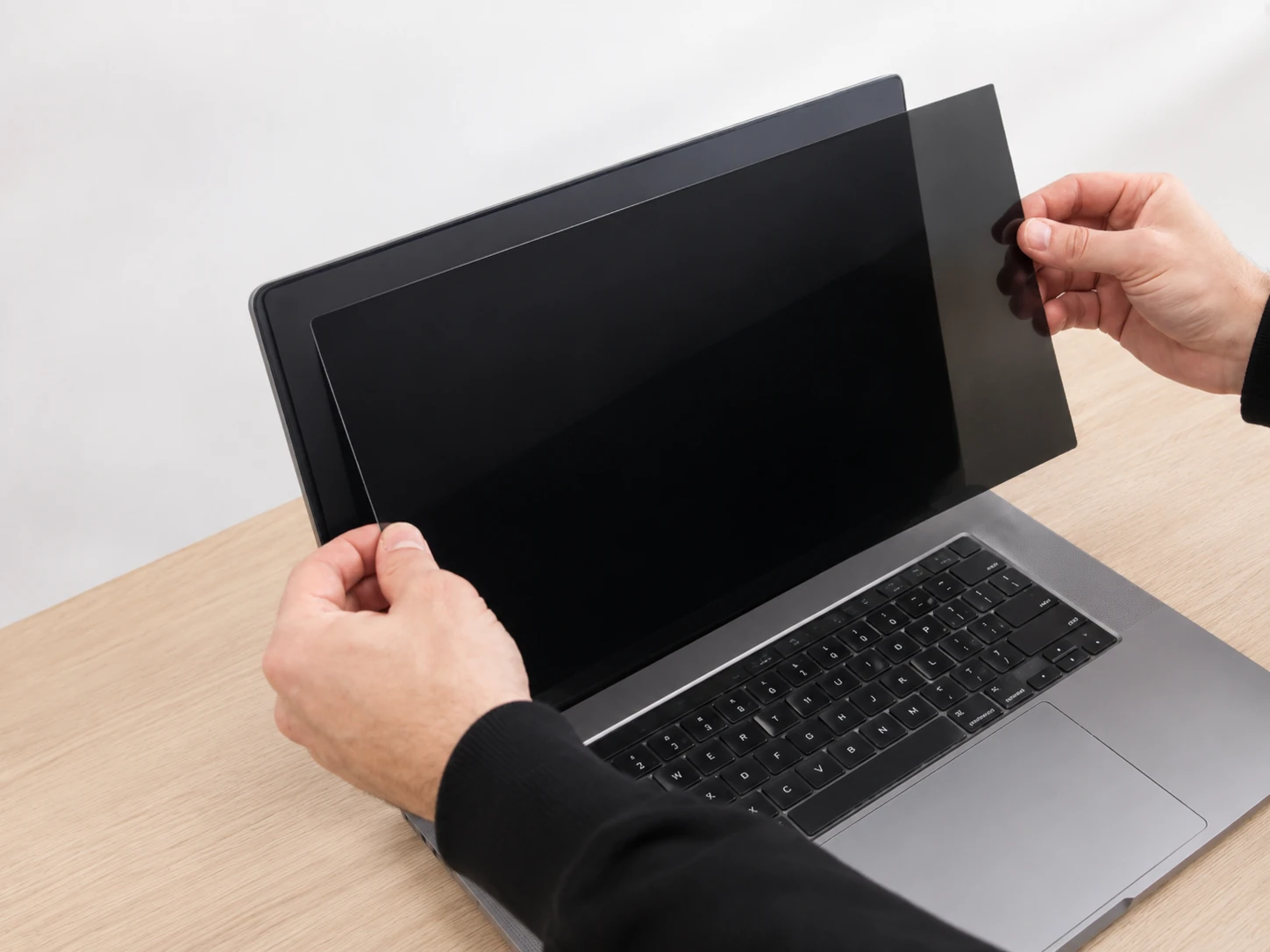
Step 4: Remove the layer protecting the adhesive
Carefully remove the layer that protects the adhesive side of the monitor overlay.
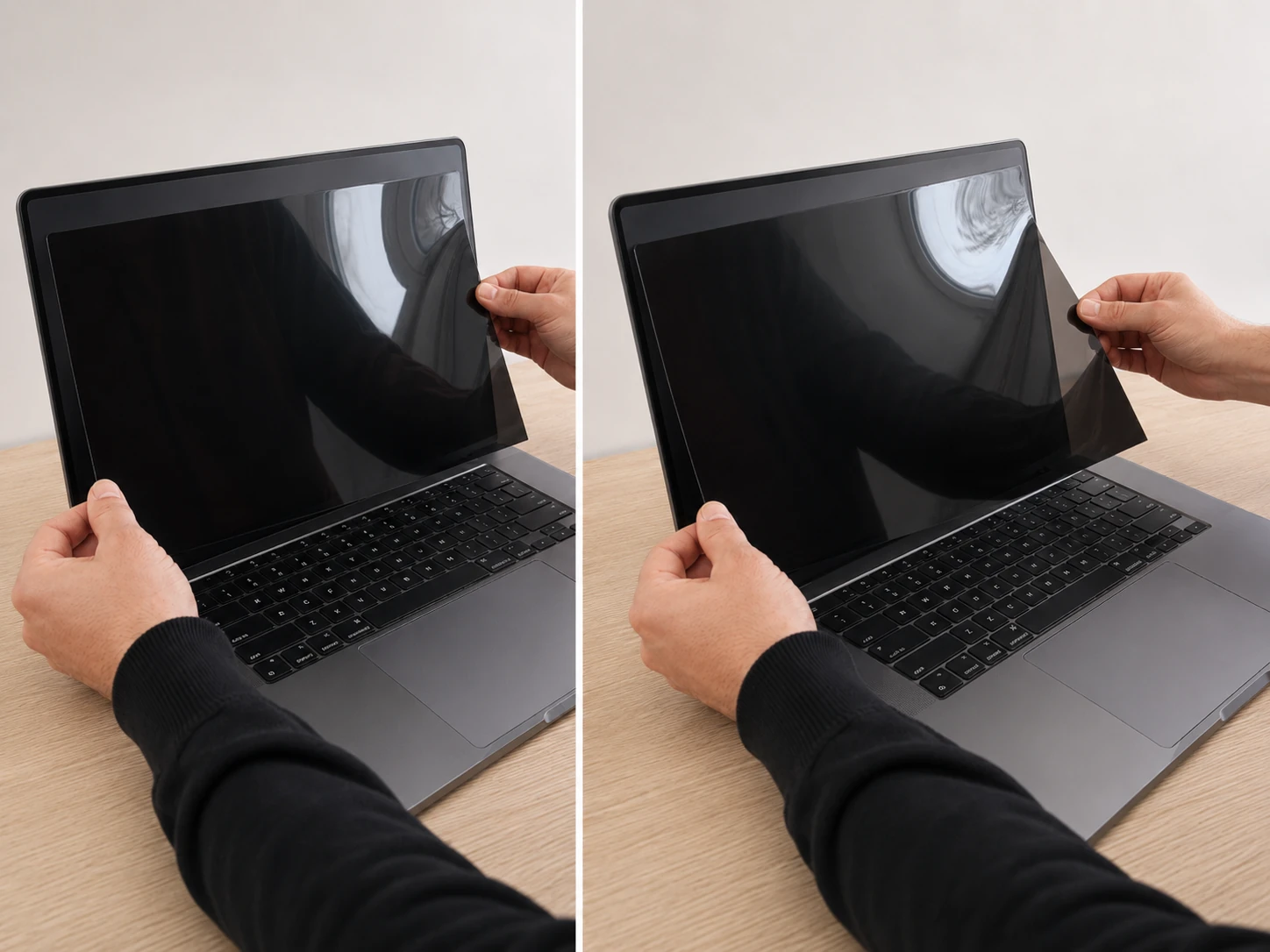
Step 5: Attach the privacy filter to the monitor
Carefully attach the privacy filter to the monitor, aligning it with the display area.
Step 6: Press the filter with the felt card
Gently press the whole surface of the filter using the felt card included with the product.
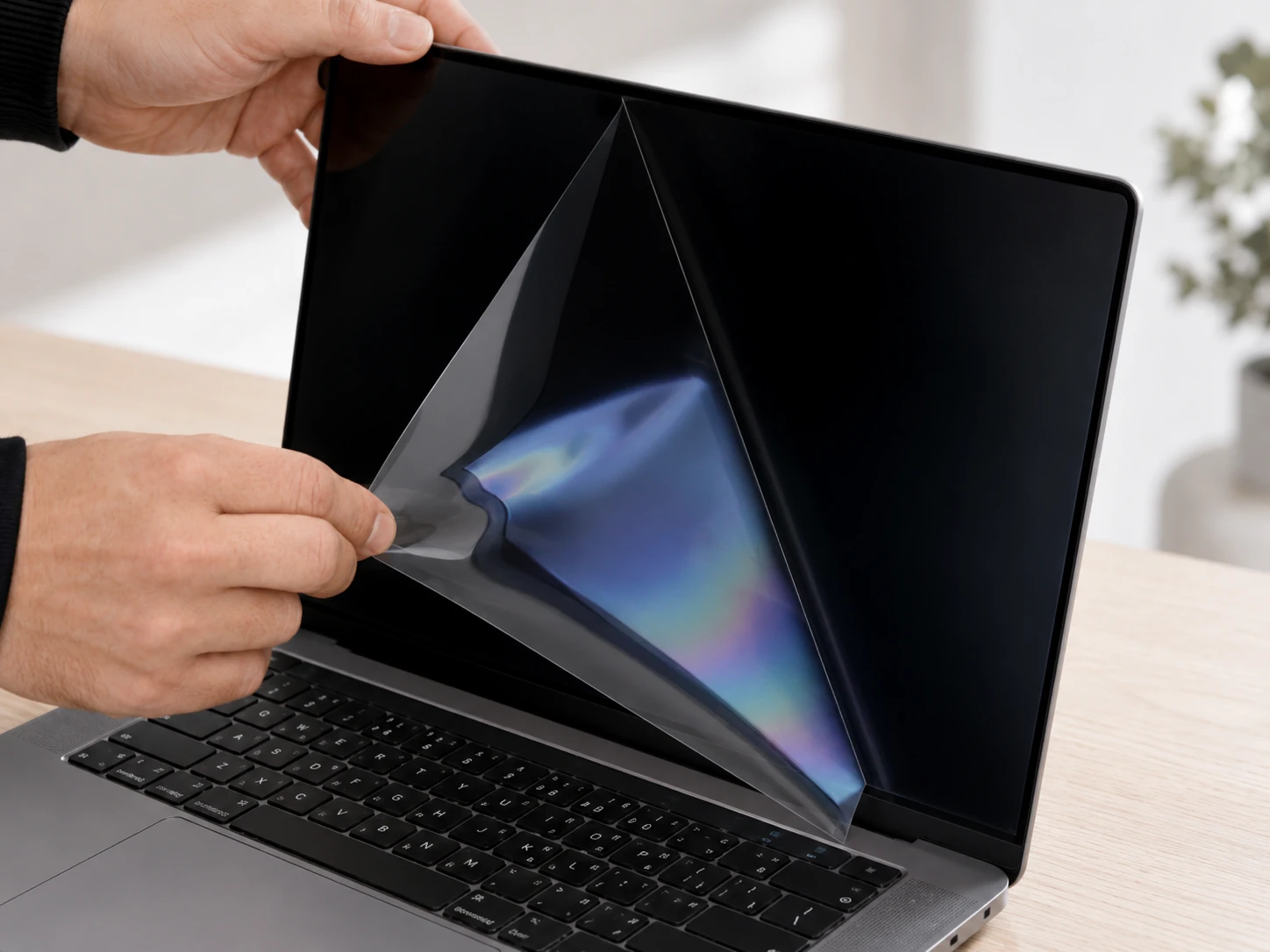
Step 7: Remove the front protective film
Remove the protective film from the front side of the filter after installation.
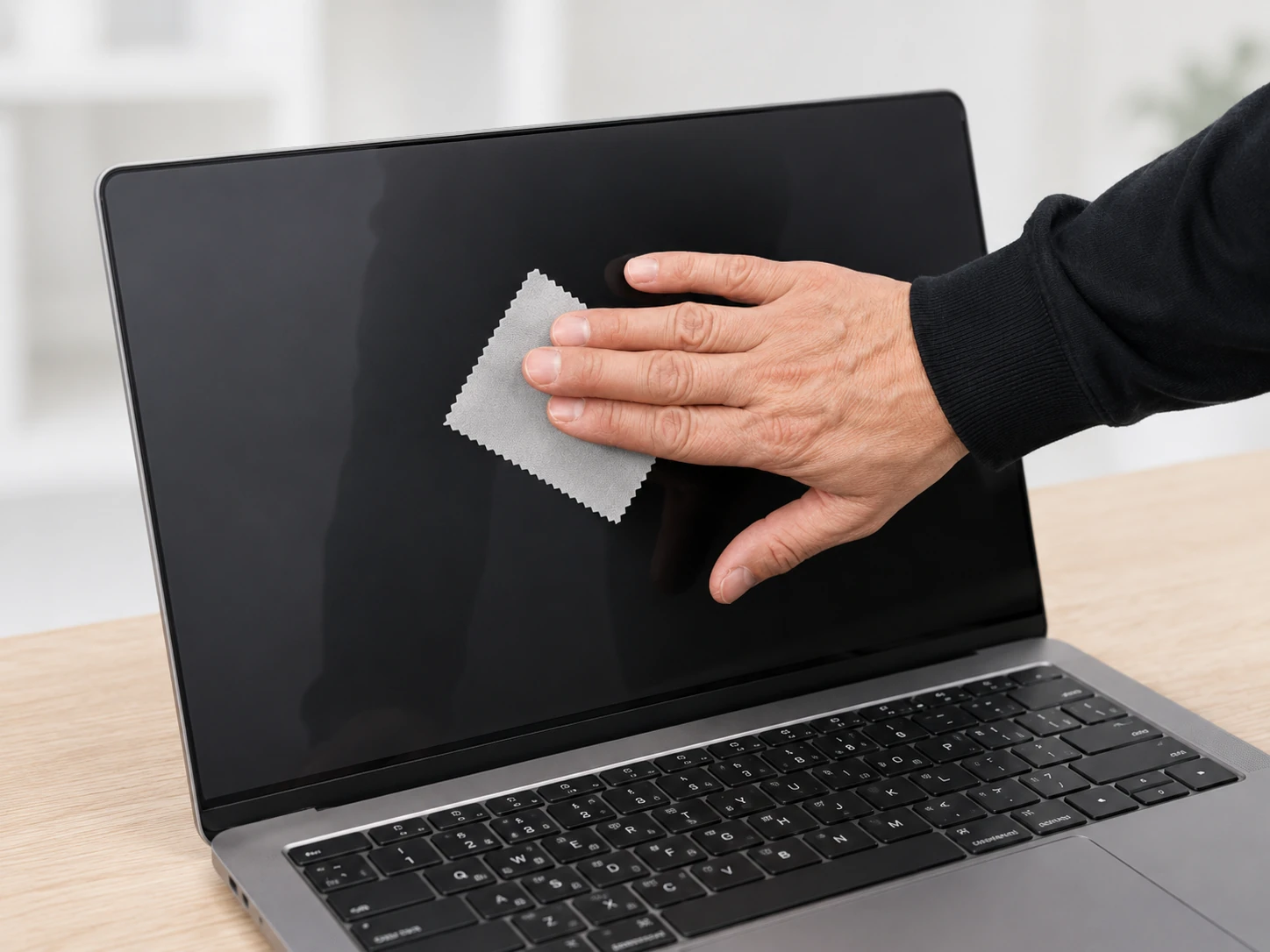
Step 8: Wipe the installed filter
After installation, wipe the privacy filter so the surface is clean and ready to use.
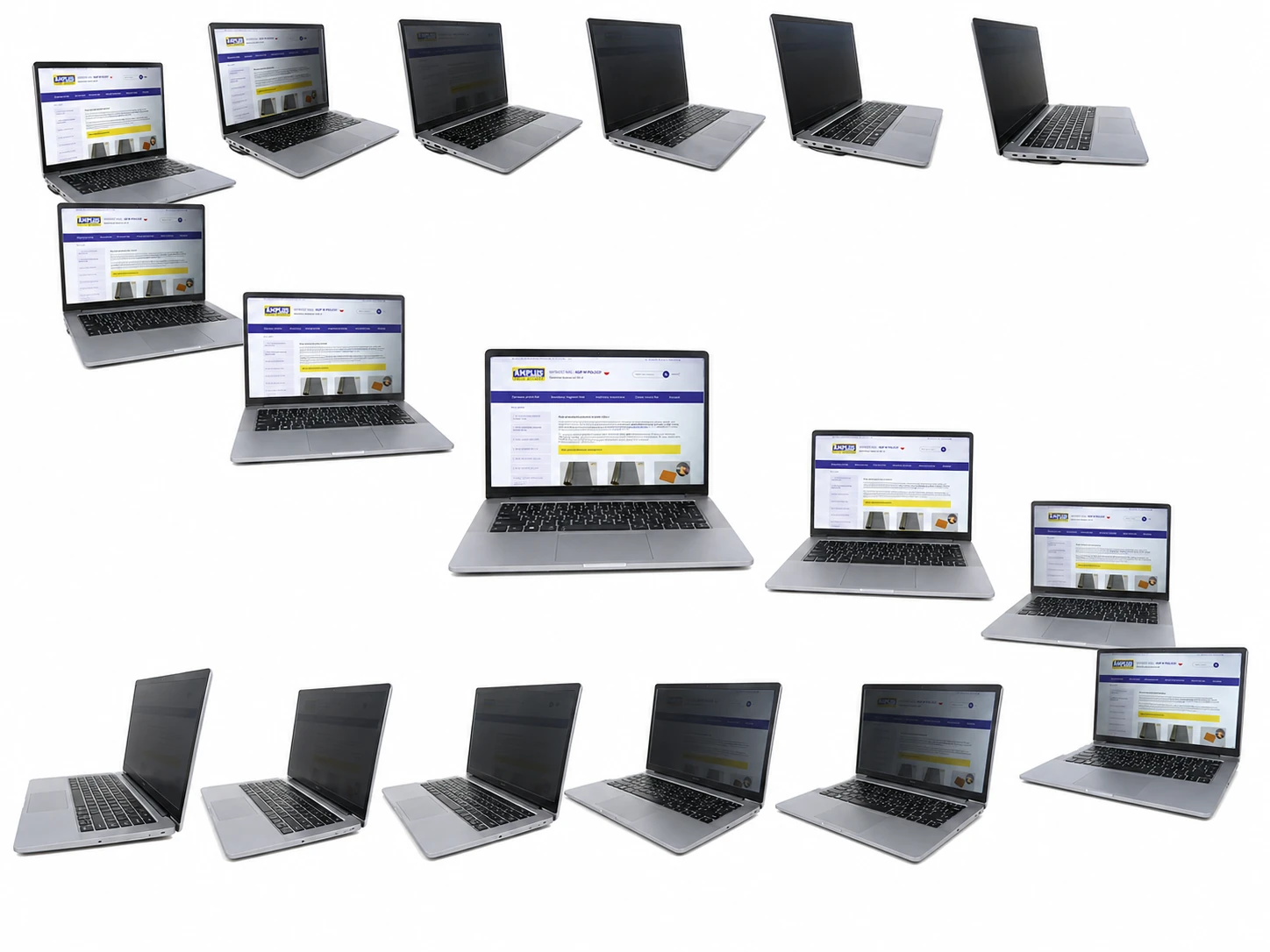
Step 9: Check visibility from different angles
Check the visibility on the monitor from different viewing angles. The privacy filter limits the visibility of displayed content for people looking from the side.
Privacy filters for multiple monitors
For larger monitor setups, we can install privacy filters for you and agree the cooperation details individually.
Call us
E-mail us
Does the film help protect the screen?
Yes. The additional layer provides mechanical protection against:
- minor scratches,
- dirt,
- finger marks.
However, it is not tempered glass and it is not intended as protection against strong impact.
 Safety
Product reviews (0)
All reviews (positive and negative) are displayed. We don't verify that they come from customers who have purchased the product.


